Ad Astra: Star Map for iPhoneThe night sky, named and alive.
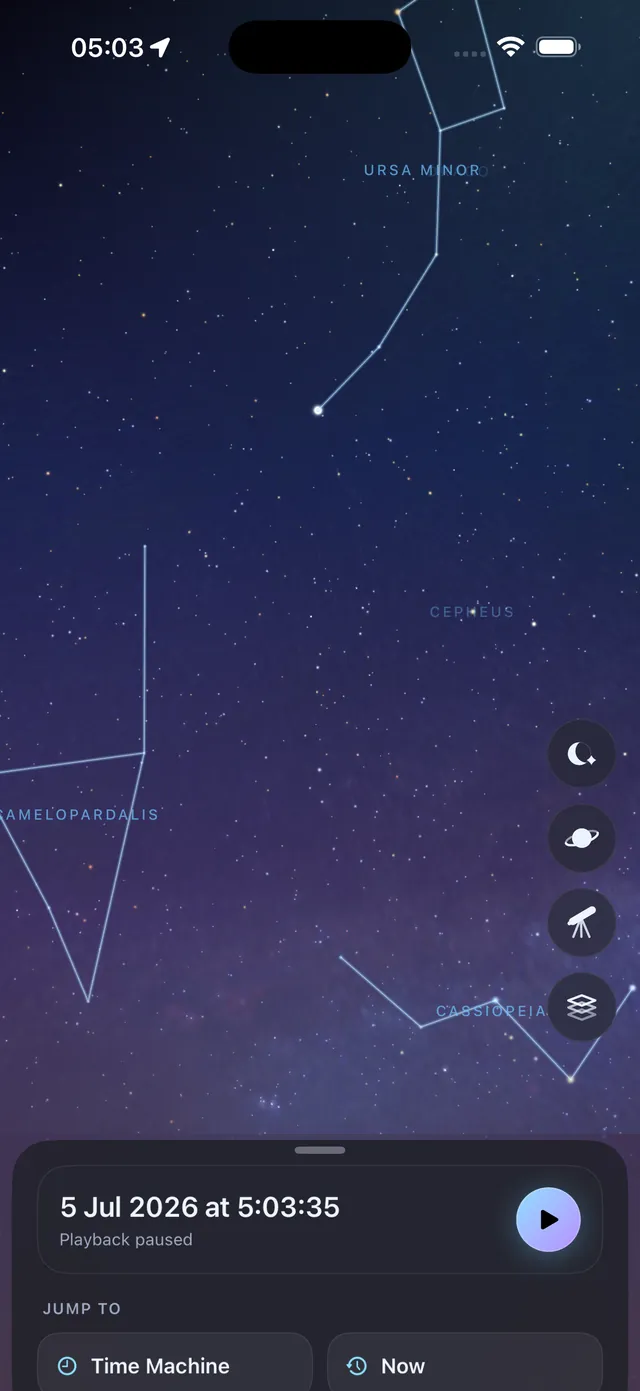
Ad Astra turns your iPhone into a living planetarium. Raise your phone and the sky above you comes alive: every star drawn from real astronomical catalogs, constellations traced with their figures, the planets and the Moon exactly where they truly are, and satellites drifting overhead.
Per aspera ad astra — through hardships to the stars.
Faintest star mag 6.5 · — stars
Orion and the winter sky, drawn from the Hipparcos star catalog the app uses.Orion and the winter sky, drawn live from the Hipparcos catalog the app uses. Move across the sky (or tap it) to trace the constellations, then slide toward the city.
Ad Astra at a glance
- Real catalogsStars from Hipparcos and the Yale Bright Star catalog, scaled by real brightness
- True positionsPlanets, the Moon and satellites exactly where they are tonight
- Up to 120 HzThe whole sky rendered on the GPU for a perfectly smooth view
- Four worlds3D close-ups, the solar system, the Milky Way and legendary missions
01 · The live sky
A star map that follows your phone
Point your iPhone anywhere and the motion sensors aim the view where you aim the device. It is the quickest way to answer the oldest question outside at night: what is that bright one?
Every star comes from the Hipparcos and Yale Bright Star catalogs and is drawn at its real brightness. Constellations are traced with their figures, so Ad Astra doubles as a constellation finder: hold it up, and the shapes you have heard of appear over the stars you are actually looking at.
- Light-pollution slider. Slide from a mountain dark-sky site to a bright city and watch the stars thin realistically, just like the sky at the top of this page.
- Planets, Moon and satellites at their true positions, with satellites drifting overhead.
- Atmosphere and a photographic horizon, so the view feels like standing outside.
- Tap any object to find out what it is.
02 · Meet the stars up close
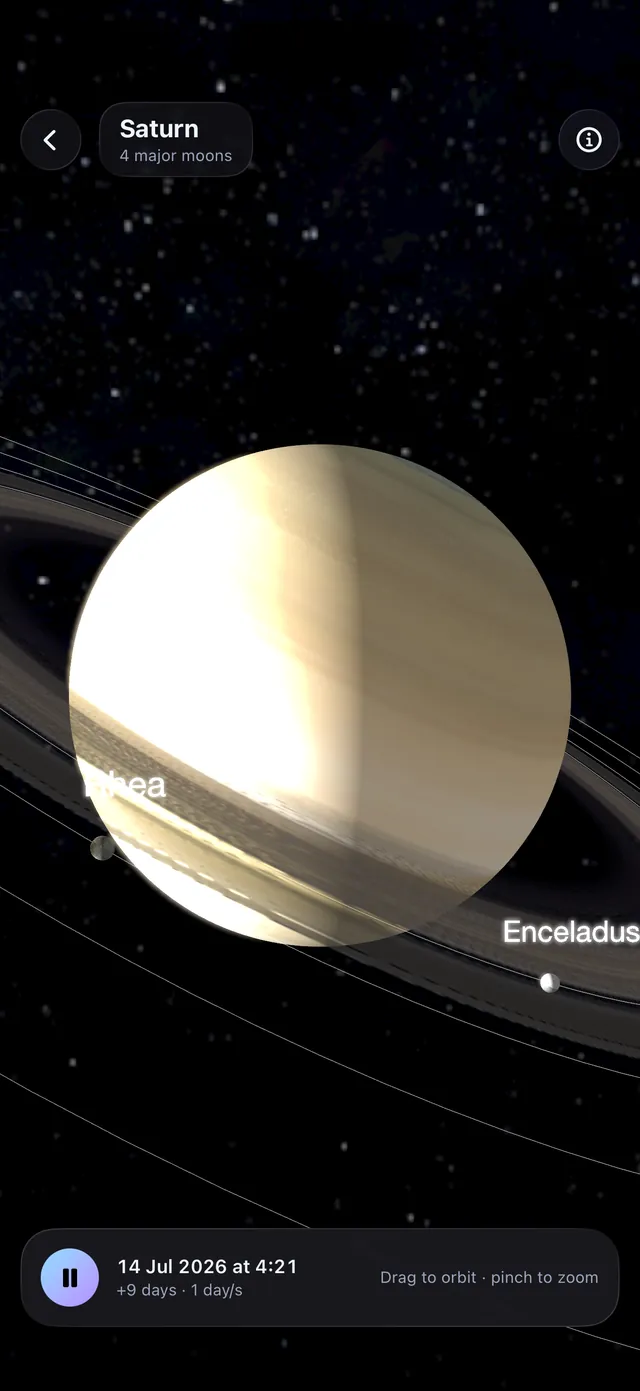
Tap anything. Turn it over in 3D.
Any star, planet, moon or satellite opens as a rotatable 3D portrait. Saturn comes with its rings and its moons.
Stars are reconstructed from their real spectral data. Planets and moons wear detailed texture maps. Satellites such as the ISS and Hubble are shown in real photographs. Every object carries at-a-glance facts, stories for the famous ones, and a live Wikipedia summary.
- Stars
- Built from real spectral data
- Planets & moons
- Detailed texture maps
- Satellites
- Real photographs of the ISS, Hubble and more
03 · Fly the solar system
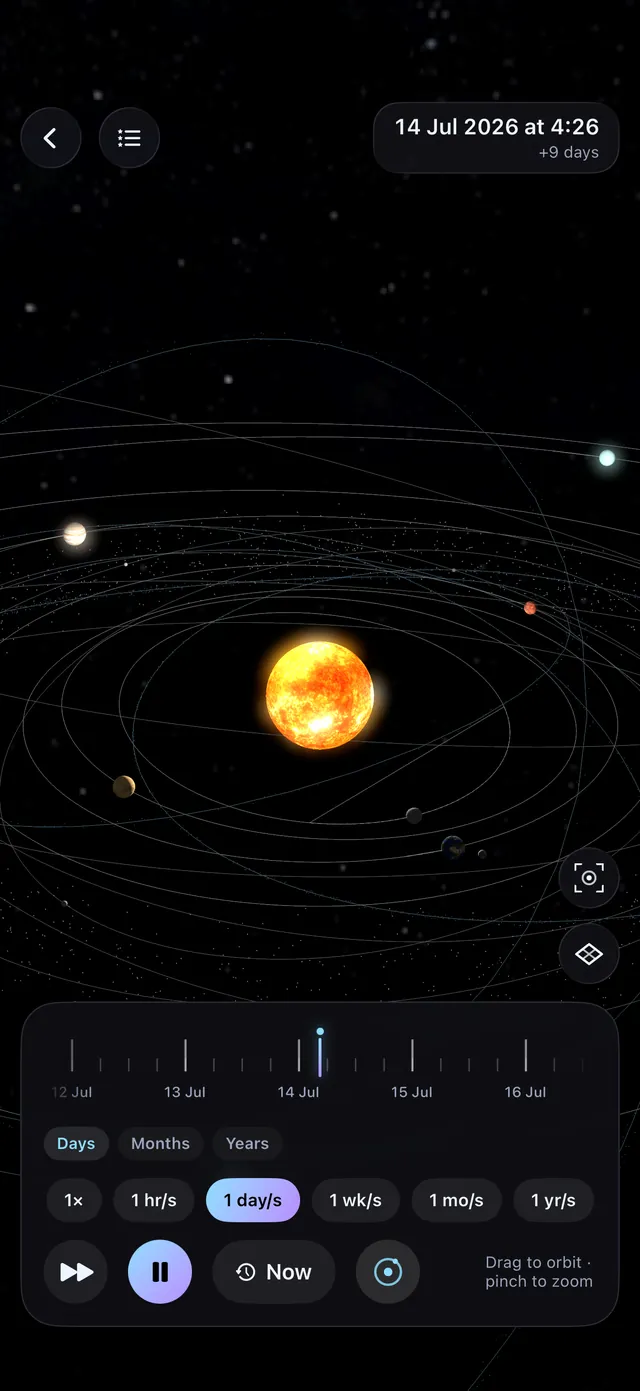
A planetarium you can fly through
A free-flying 3D solar system with real orbital mechanics. Scrub the timeline through days, months and years and watch the orbits evolve.
Overview and map modes make it feel like a navigation app for space: jump back to the whole system in one tap, or flip to a flat top-down map.
Try the timeline
October 2026A simplified sketch with circular orbits and squeezed distances. The app itself flies a 3D solar system with real orbital mechanics.
04 · Travel the Milky Way
Step outside the galaxy and look back
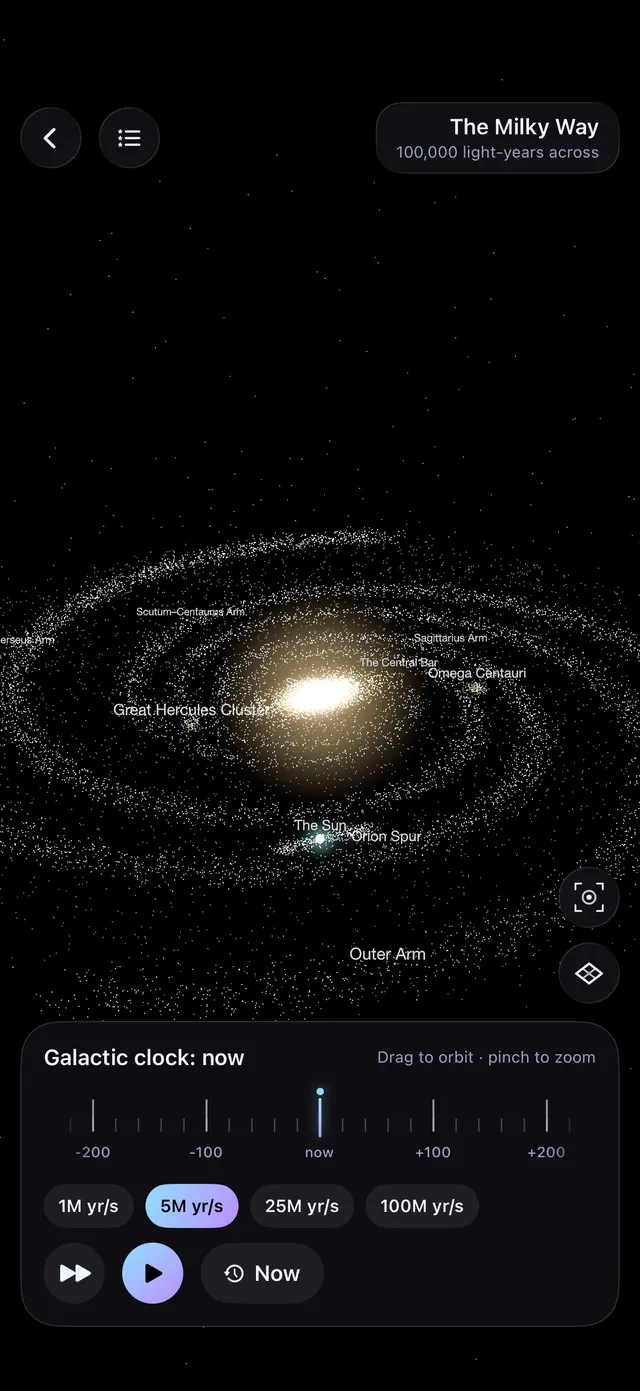
Fly around a GPU point-cloud model of our galaxy: spiral arms, globular clusters, companion galaxies, and the black hole at the center.
Find the Orion Spur where the Sun lives, Omega Centauri and the Great Hercules Cluster. Then run the galactic clock and watch the spiral arms shear over millions of years.
- Spiral arms and the bar at the heart of the galaxy
- Globular clusters and companion galaxies
- The galactic clock, in millions of years per second
05 · Relive legendary missions
From the launch pad to the edge of the solar system
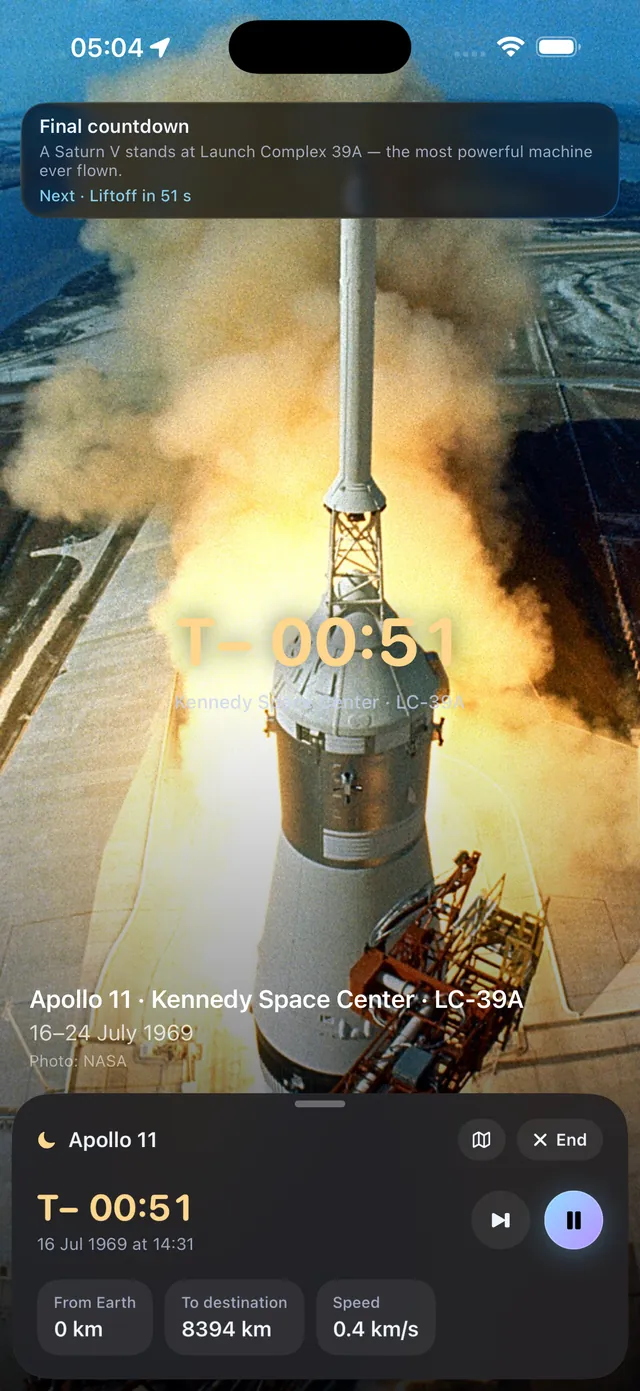
Real launch photography fades into a live trajectory simulation, with a mission HUD that shows altitude, speed and distance in your local units.
Vostok 1
Yuri Gagarin becomes the first human in space.
Apollo 8
The first crew to orbit the Moon, and to see Earth rise.
Apollo 11
From the pad at Launch Complex 39A to the Sea of Tranquility.
Voyager 1 and 2
The Grand Tour past Jupiter, Saturn, Uranus and Neptune.
- Mars
The Mars rovers
The long cruise from Earth to the red planet.
Made for real nights outside
Stargazing on iPhone, without the glare
Your eyes take a long time to adapt to the dark and a moment of white light to undo it. Ad Astra is designed for the field as much as the sofa.
Night-vision mode
A red color scheme that preserves your dark adaptation under a real sky.
Immersive mode
Every control fades away, leaving nothing but the sky.
Atmosphere and horizon
An atmospheric glow and a photographic horizon put the ground back under your feet.
Up to 120 Hz
Rendered on the GPU, so the sky glides as smoothly as you move.
Questions
About the Ad Astra star map app
- Is Ad Astra free?
- Yes. Ad Astra: Star Map is free to download from the App Store.
- Which devices does it run on?
- Ad Astra is an iPhone app and needs iOS 26.2 or later.
- How does the star map know where I am pointing?
- Ad Astra reads your iPhone's motion sensors and aims the view wherever you aim the device. You can also drag to look around and pinch to zoom.
- Can I use it as a constellation finder?
- Yes. Constellations are traced with their figures over the real stars, and you can tap any star, planet, moon or satellite to see what it is, with quick facts and a live Wikipedia summary.
- Will it spoil my night vision outside?
- Night-vision mode turns the app red to preserve your dark adaptation, and immersive mode fades every control away so only the sky is left.
- Does it need an internet connection?
- The star catalogs ship inside the app. The live Wikipedia summary on each object is fetched from the internet.
- What languages is Ad Astra available in?
- Ad Astra is available in English.
The sky is up there every night.
Ad Astra shows you what you are looking at.
Download on theApp Store